
You may have noticed the graphic images in the comment sections on many WordPress websites. What you may not realize is that the overwhelming majority of theme, like those here on SuccessCREEations are powered by a service provided by WordPress called Gravatars.
You can open an account with them for free. And if you already have an account at WordPress.com then you automatically already have a Gravatar account. You can upload your image to the Gravatar site and have it show up on all WordPress sites that have Gravatars enabled.
Gravatar Public Profiles
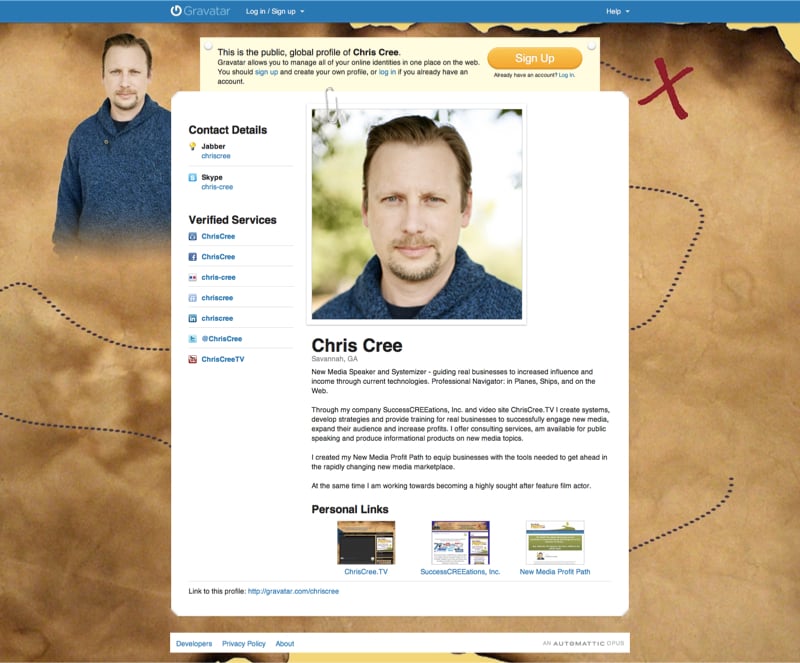
Taking the concept one step further, last week WordPress announced Gravatar Public Profiles. Now you can fill out a complete profile including links to select social media accounts, and even personalize it with a background image.
The end result can look something like my profile which I think looks pretty sharp, though granted I’m a little biased. 😉
Why Set Up Your Profile
One reason you’ll want to set up your profile at Gravatar is because it becomes an easy reference for you web identity. Not only can you enter your profile info in HTLM along with select social media profile links, but you are allowed to enter personal links to sites that relate to you.
That way your Gravatar profile can give a quick snap shot of who you are on the web that is presented in a clean, easy to read quickly format.
